JLPT4u မှာ Test ဖြေဆိုပုံ ရှင်းလင်းချက်
How to take the test on JLPT4u – Step-by-step guide
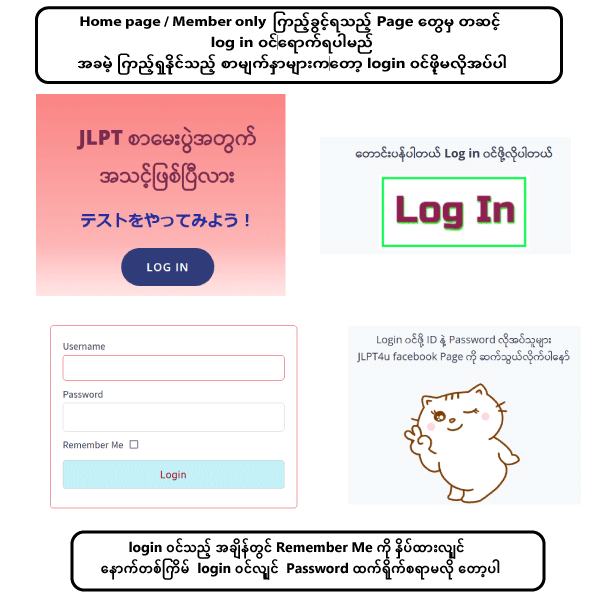
Home Page ကိုသွားရန်
ဘယ်ဘက်အပေါ်ထောင့်မှ ကြောင်ပုံ logo လေးကိုနှိပ်ရပါမယ်
To go to the homepage, click the cat logo in the top-left corner.

ဖြေဆိုရာတွင် ဖြေဆိုချိန်ကို အချိန်ကန့်သတ်ထားသောTest နှင့်
အချိန်ကန့်သတ်မထားသော Test (၂)မျိုးရှိပါသည်။
There are two types of tests: timed tests with a time limit and untimed tests without a time limit.
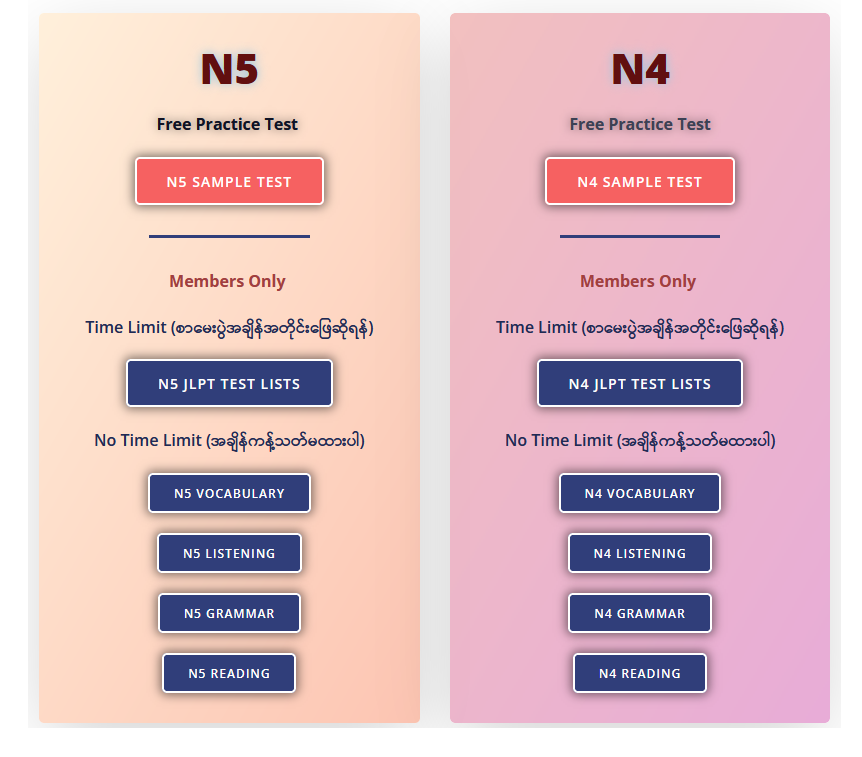
Home Page တွင် အောက်ပါ ပုံအတိုင်း
Level အလိုက် အချိန်ကန့်သတ်ထားတဲ့ မေးခွန်းနှင့်
အချိန်မကန့်သတ်ထားတဲ့မေးခွန်းဆိုပြီး
သက်ဆိုင်ရာ ခလုတ်(button) ကို နှိပ်ပြီး ဖြေဆိုနိုင်ပါသည်
On the Home Page, you will see the following layout:
You can choose questions by level — either timed or untimed — and click the appropriate button to start the test.
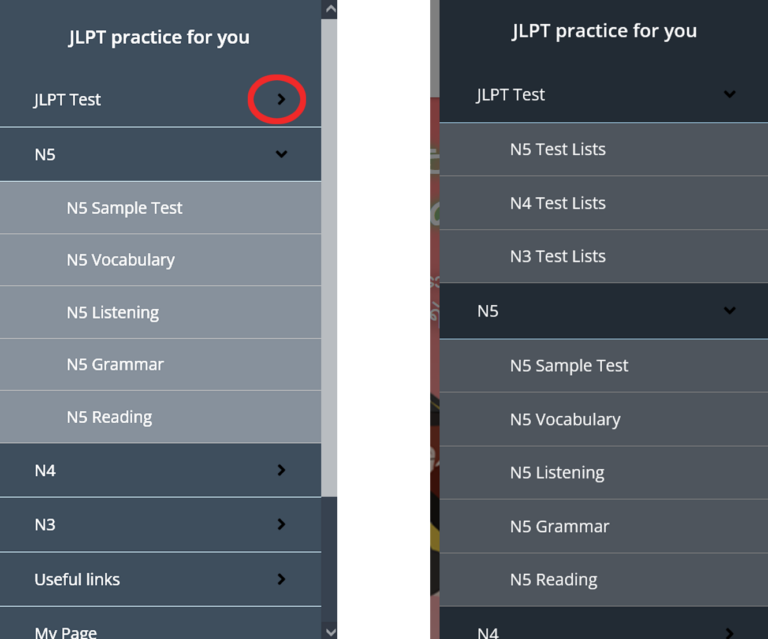
Menu မှ လည်း Test Lists သို့ သွားနိုင်ပါသည်
ညာဘက်အပေါ်ထောင့်မှ မျဥ်း ၃ကြောင်းကို နှိပ်ရပါမယ်
You can also access the Test Lists from the menu by clicking the three lines icon at the top-right corner.

Menu မှ ၀ိုင်းထားသော မျှားလေးကိုနှိပ်ပြီး
Sub Menuသို့ သွားနိုင်ပါသည်
From the menu, you can click the small arrow icon in the circle to access the sub-menu.
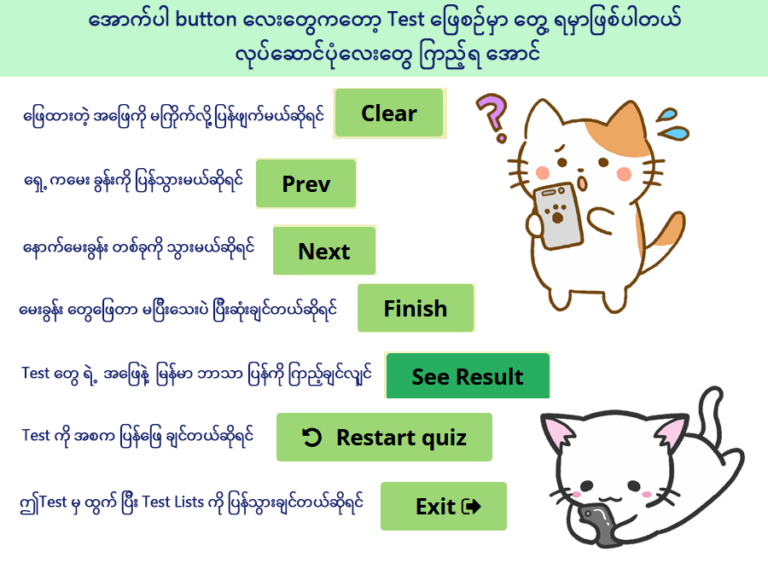
The following items will appear during the test. Let’s take a look at how they work.